
Introducing FrontFlow: A New Visitor Arrival Notification Service From Innojacent
Innojacent is launching FrontFlow, a hosted visitor check-in and SMS arrival notification service for offices, clinics, and multi-site teams.
Introducing FrontFlow: A New Visitor Arrival Notification Service From Innojacent
Innojacent is excited to introduce FrontFlow, a new hosted visitor arrival notification service for offices, clinics, branches, and multi-site teams.
FrontFlow was created for organizations that need a simpler way to manage visitor arrivals without adding a heavy visitor management platform.
A visitor arrives. They identify who they are there to see. The right employee or provider is notified. The visitor knows the message was sent.
In practice, that simple workflow often becomes more complicated than it should be. Staff may be away from the front desk, visitors may not know who to ask for, employee phone numbers may be handled informally, and each location may develop its own process.
FrontFlow turns that into a focused SaaS workflow. Visitors use a simple kiosk screen to choose the employee or provider they are there to see, enter their name, and send an SMS arrival alert to the right person.
A Clear Visitor Experience
FrontFlow is designed for shared lobby tablets and kiosk devices, giving each location a clean front desk experience that is easy for visitors to understand.
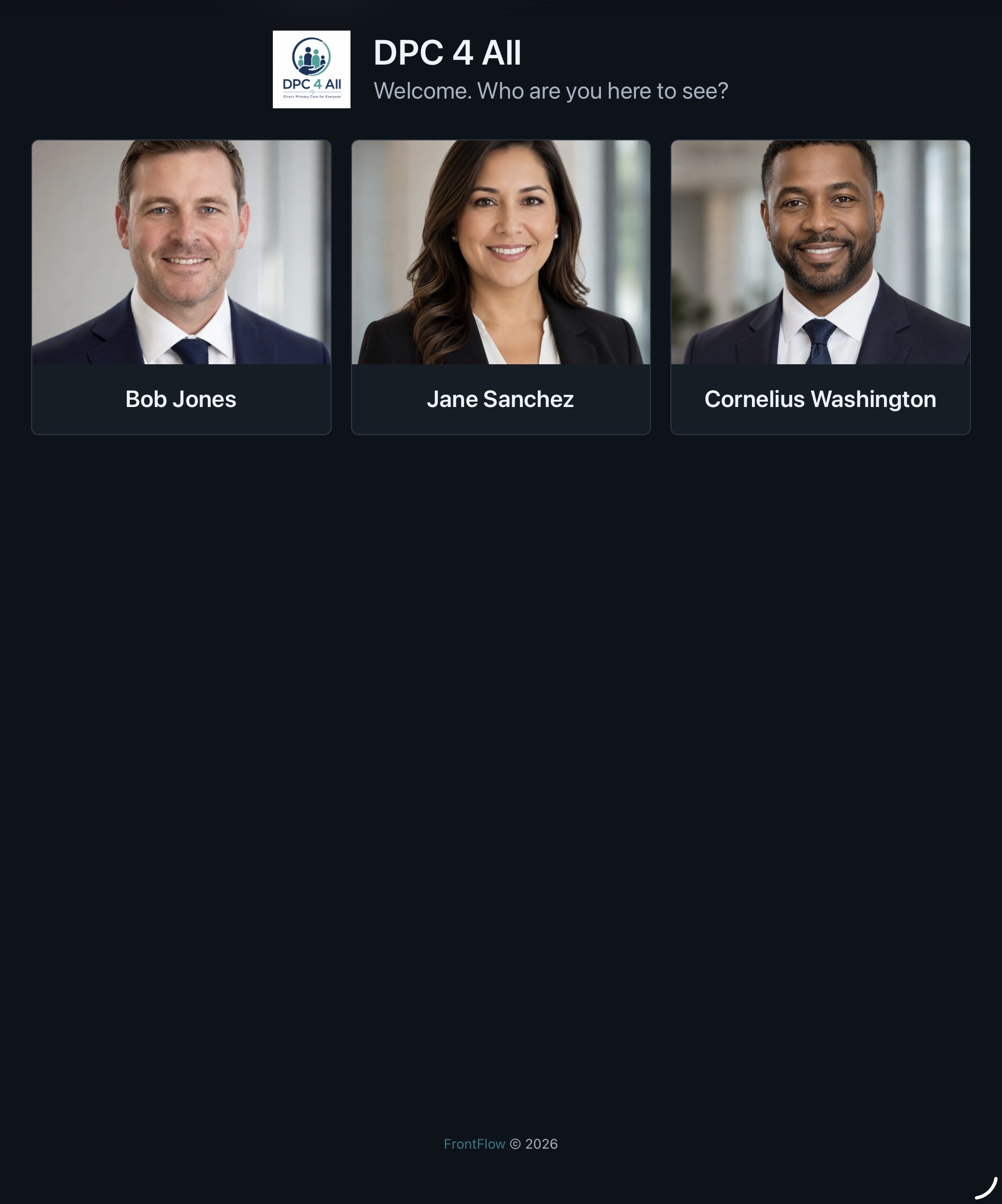
Visitors are presented with a branded check-in screen for that location. They choose who they are there to see, provide the required information, and submit the check-in. FrontFlow records the arrival and sends the selected employee or provider an SMS alert.
The workflow is intentionally focused:
- Choose the person or provider.
- Enter the visitor name.
- Confirm any required consent language.
- Send the arrival alert.
That gives visitors a clear path and gives staff a reliable way to know when someone has arrived.
Built For Offices, Clinics, And Multi-Site Teams
FrontFlow supports location-specific setup, which is important for organizations with more than one office or branch.
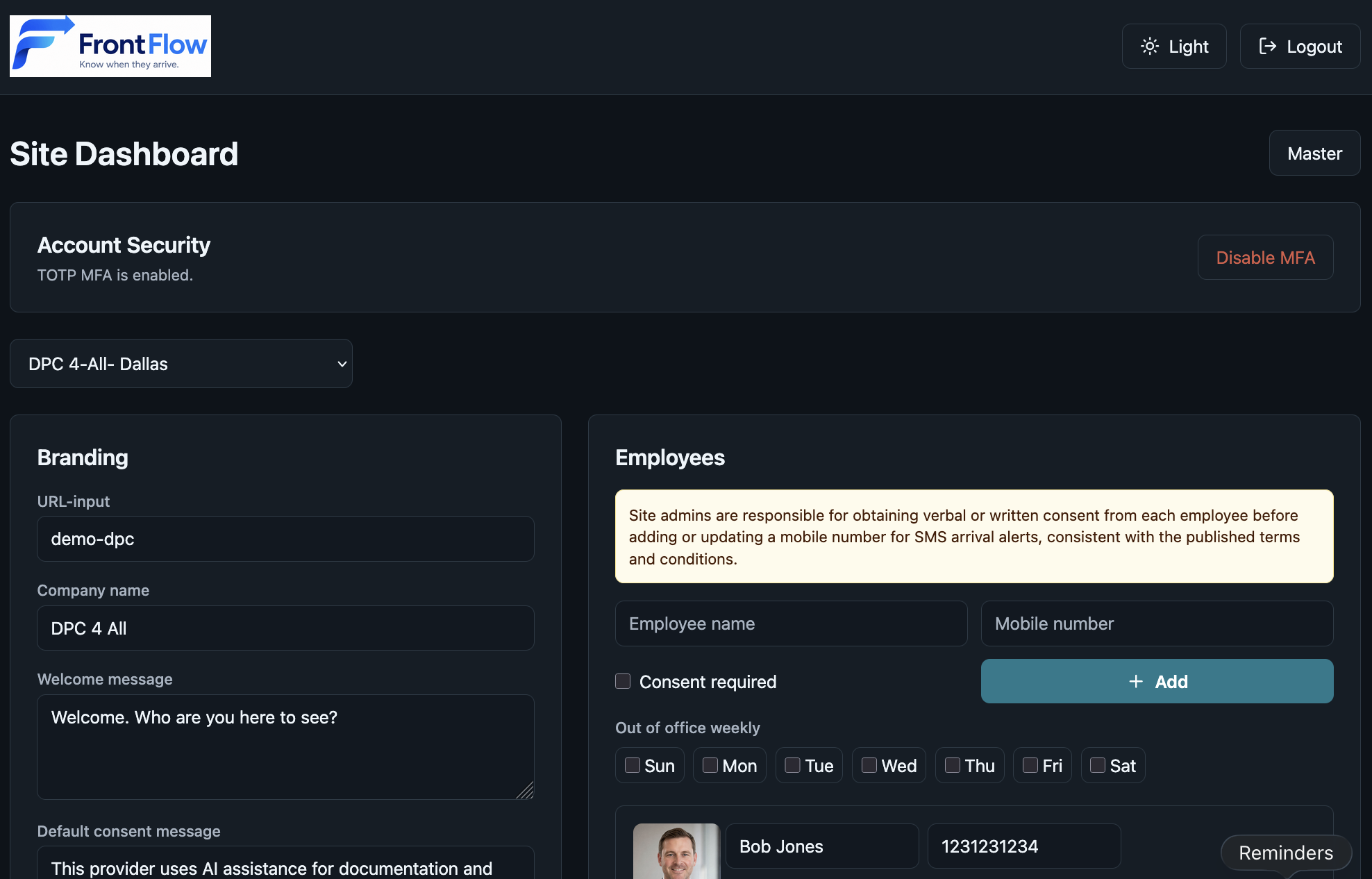
Each site can maintain its own:
- Branding
- Welcome message
- Employee or provider list
- Check-in history
- Kiosk settings
- Admin controls
That allows each location to present the right staff list and visitor experience without forcing every site into the same front desk process.
SMS Alerts Without Exposing Phone Numbers
FrontFlow keeps employee mobile numbers out of the visitor-facing kiosk.
Visitors can choose the person they are there to see, but they do not see that person’s mobile number. Site admins manage notification details through the admin portal, while the kiosk remains focused on the visitor experience.
FrontFlow also includes operational reminders around SMS consent. Site admins are responsible for getting appropriate permission before entering or using an employee’s mobile number for arrival alerts. This helps organizations treat even simple notification workflows with the privacy and care they deserve.
Practical Admin Controls
A good front desk tool needs to be easy for visitors, but it also needs to be manageable for the people who operate it.
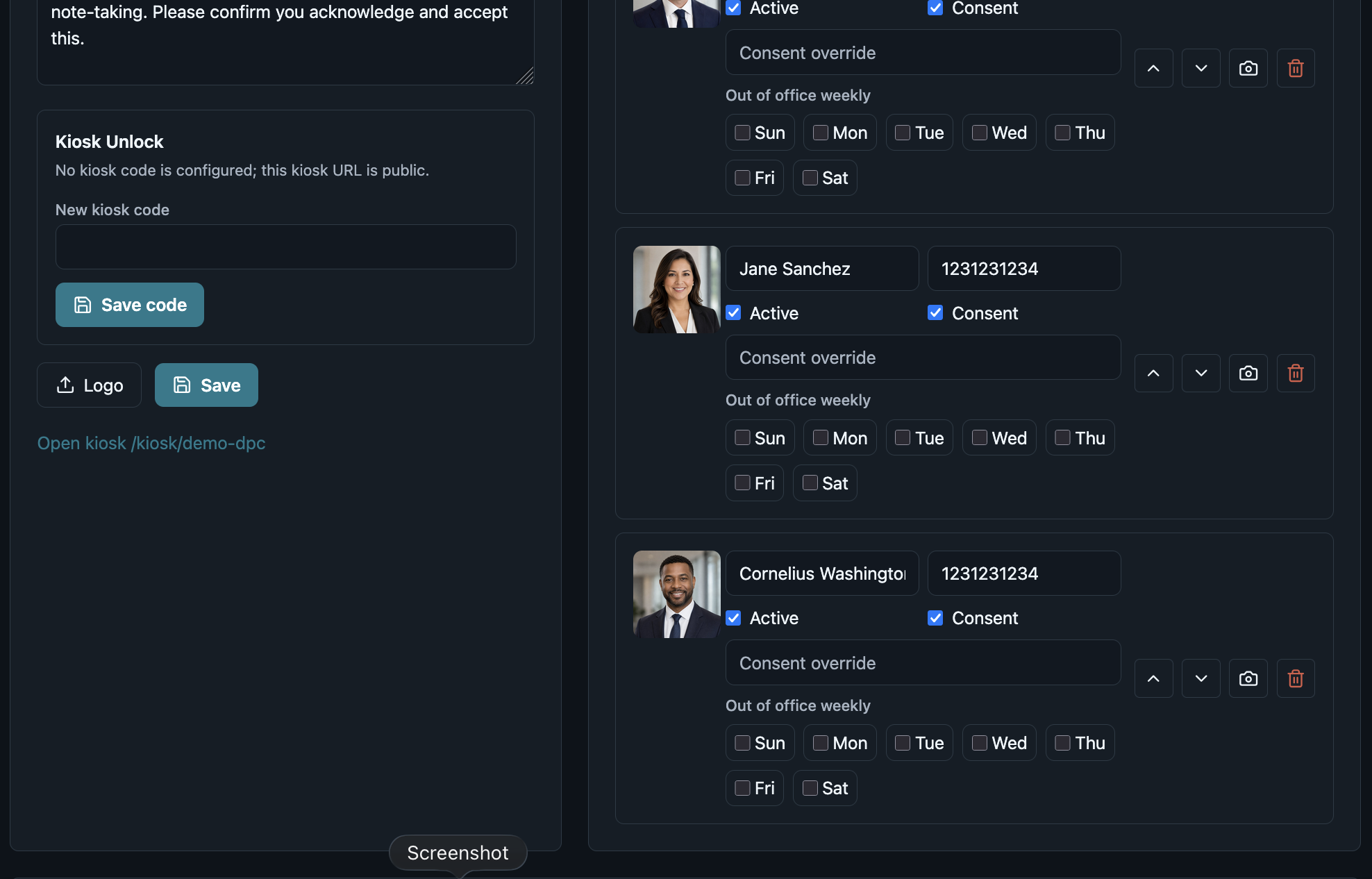
FrontFlow gives site admins browser-based tools to manage:
- Company name and location branding
- Logo and welcome message
- Employee or provider records
- Mobile numbers used for SMS alerts
- Active and inactive employees
- Weekly out-of-office days
- Display order
- Consent messaging
- Kiosk unlock codes
The admin guide also emphasizes practical security habits such as using MFA, avoiding shared admin accounts, reviewing employee lists, and rotating kiosk unlock codes when device or staff access changes.
Simple SaaS Pricing For A Practical Service
FrontFlow is offered as a hosted subscription service with simple pricing:
$30 per month per site.
The standard plan includes up to 15 employees per site and up to 7,500 messages per month. Organizations that need more employees, more messages, or a larger multi-site plan can contact FrontFlow for options.
That pricing model is intentionally straightforward. FrontFlow is built for organizations that need a practical visitor arrival workflow without taking on a large enterprise visitor management platform.
Who Should Consider FrontFlow
FrontFlow may be a good fit for:
- Medical practices
- Therapy and counseling offices
- Professional services firms
- Branch offices
- Clinics
- Multi-location small businesses
- Shared office environments
- Teams where visitors regularly arrive for specific employees or providers
If visitors need to notify a specific person, staff should not have to constantly monitor the lobby, and employee phone numbers should remain private, FrontFlow is worth a look.
Now Available From Innojacent
FrontFlow reflects the kind of technology Innojacent likes to build and support: focused, practical, and aligned with the way people actually work.
It does not try to make visitor arrival more complicated. It makes the basic workflow more reliable.
Visitors check in. The right person gets notified. Each location can manage its own setup. Staff can spend less time watching the door and more time helping the people they serve.
To learn more, review pricing, or contact us about a FrontFlow subscription, visit www.frontflow.net.